Notification Center
Stay updated with real-time alerts. Filter your interactions to focus on what matters most, from new followers to page invitations.
Smart Filtering
The notification center isn't just a list; it's a categorized inbox. Users can switch between tabs to isolate specific types of engagement. The active tab is highlighted with a blue underscore indicator.
Filter Types
- LikesSee who appreciated your posts or comments.
- CommentsTrack conversations and replies to your content.
- FollowsNew members joining your 'Fan Army'.
- Page InvitationsRequests to like or join Community Pages.
Selecting a filter hides all other notification types, allowing creators to focus purely on Engagement (Likes/Comments) or Growth (Follows).
Actionable Alerts
Notifications are designed to be actionable. You can follow users back directly from the list without navigating away.
@saikumarreddy just joined your fan army — soldier reporting for duty!
15h ago
@priyavarma just joined your fan army — soldier reporting for duty!
17h ago
Page Invitation Flow
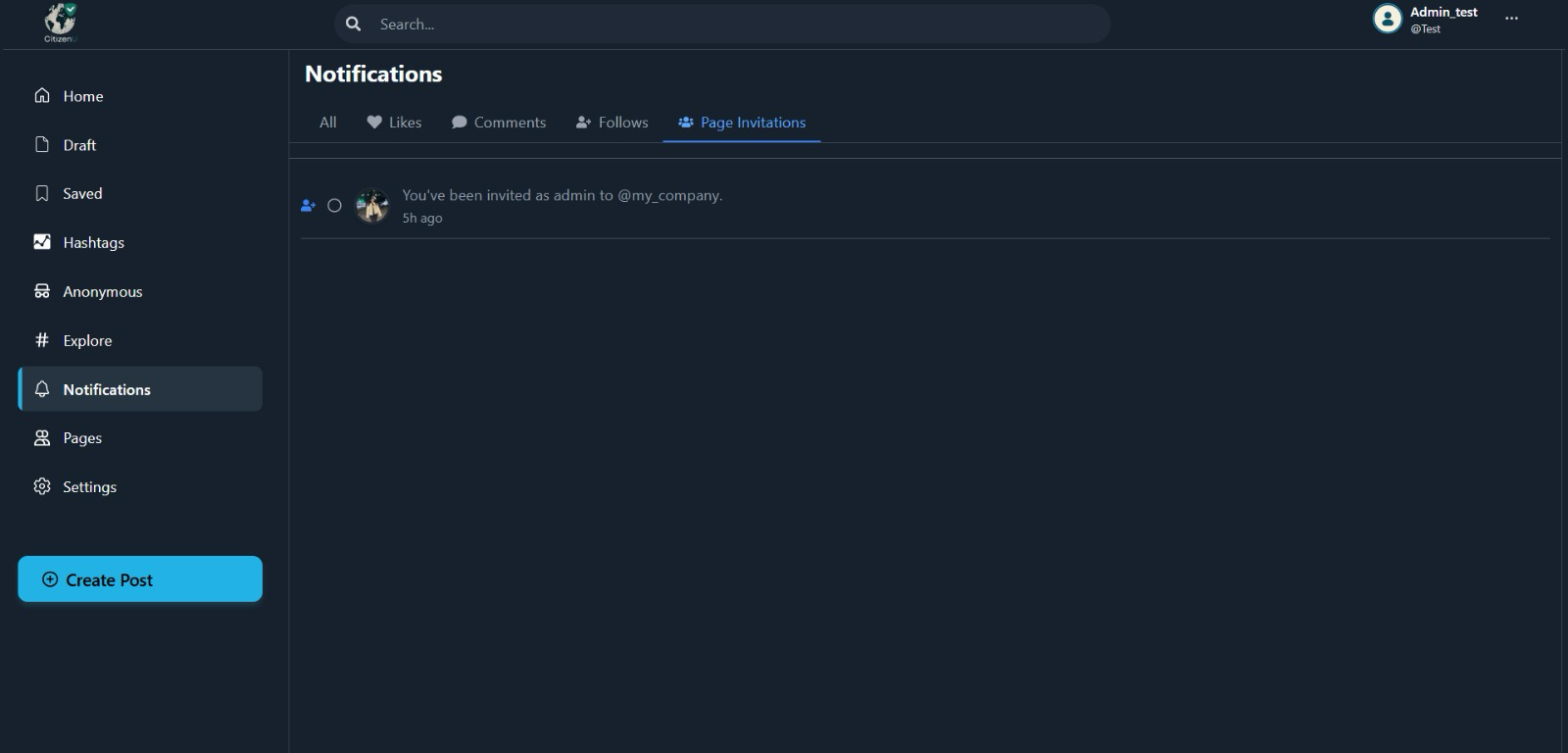
1. The Request
When you are invited to manage or join a page, it appears as a distinct notification. Key details like who invited you and the role (e.g., Admin) are clearly visible.
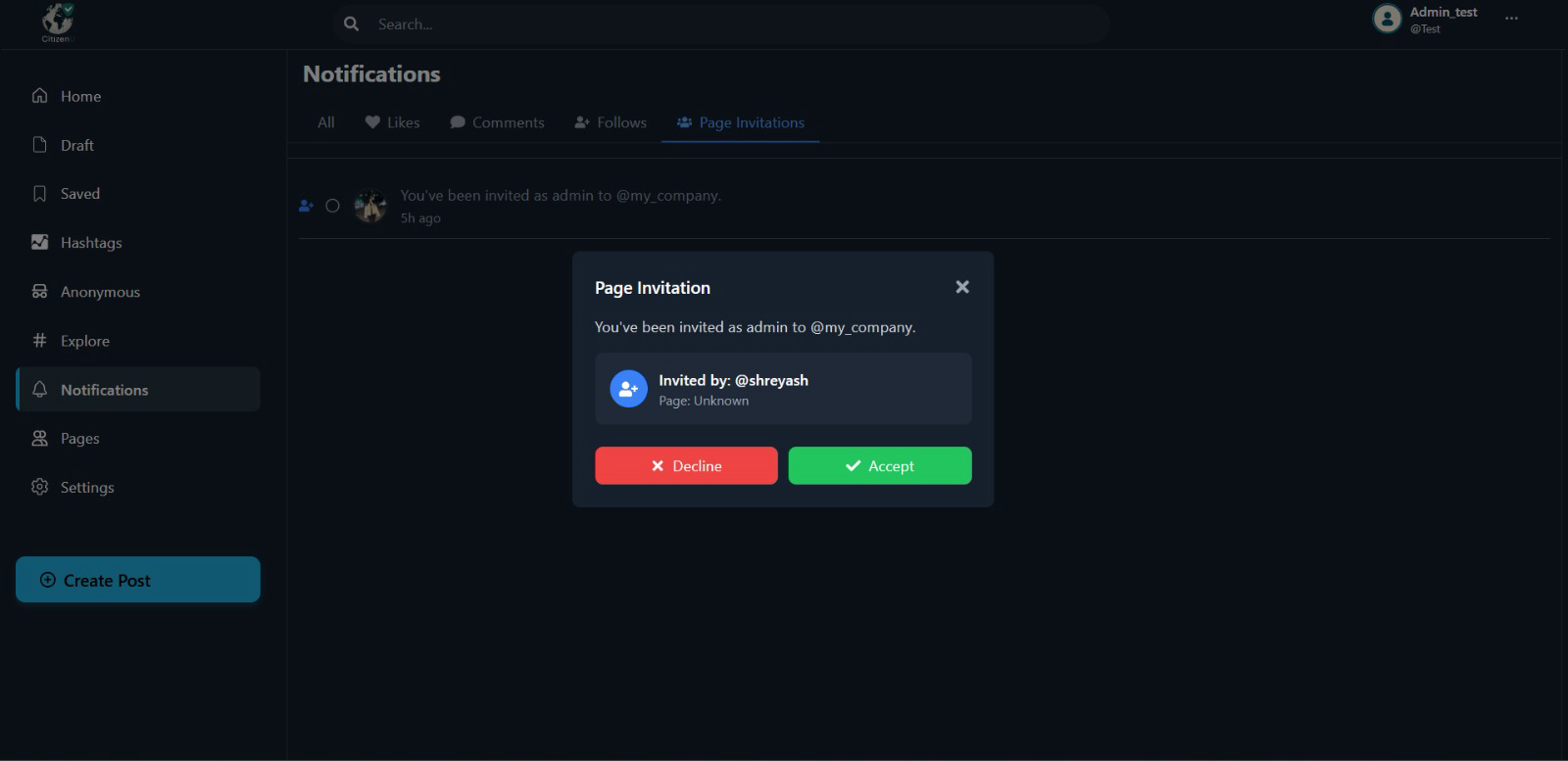
2. The Decision
Clicking the notification triggers a modal for a focused decision. You can review the page details and choose to Accept or Decline the responsibility.